How Do I Register
Welcome to Bowmanville Figure Skating Club registration!
We use Uplifter for all registrations. You only need one family account — from there you can add each child and register them for programs.
Step 1 — Create a Family Account
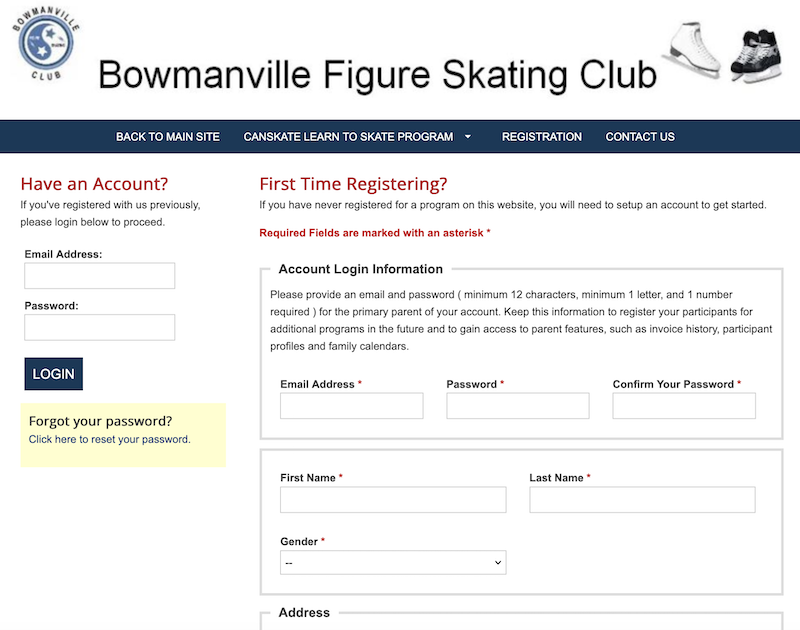
- Go to our portal: bfsc.uplifterinc.com
- Click Create Account.
- Fill in your details (parent/guardian name, email, password, contact info). (Screenshot 1)
- Accept the terms and click Submit.
Screenshot 1
Step 2 — Add Your Skater(s)
- Log in with your new account.
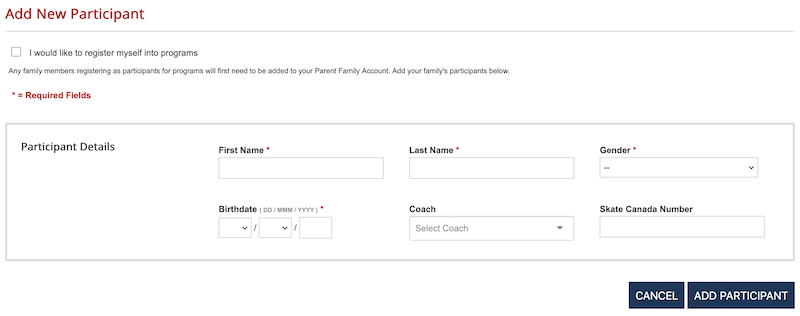
- Choose Add Participant.
- Enter each skater’s information: (Screenshot 2)
- Full name
- Date of birth
- Coach (if known)
- Skate Canada Number (If known)
Repeat for each child you want to register.
Screenshot 2
Step 3 — Register for a Program
- Browse the list of available programs (e.g. CanSkate, STARSkate).
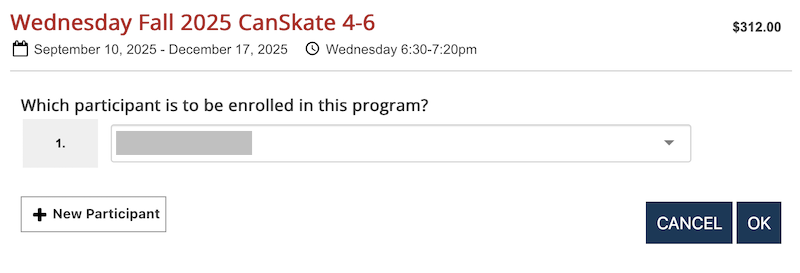
- Select the program you want.
- Assign your skater to the program. (Screenshot 3)
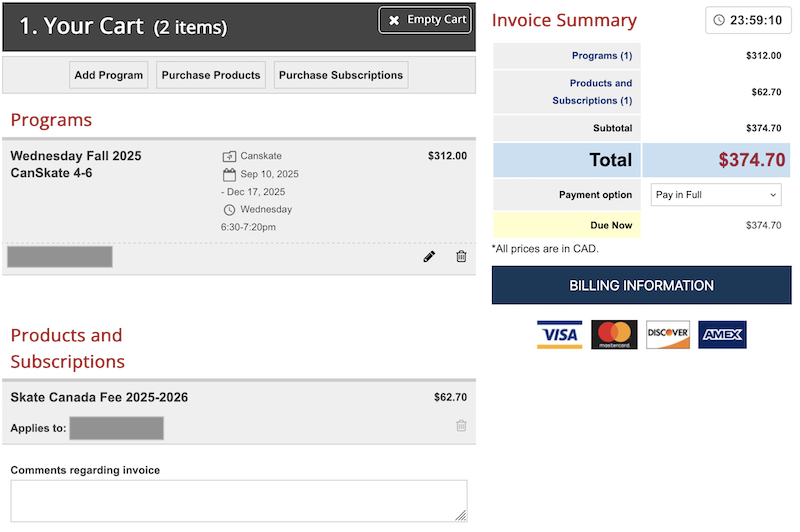
- Review your cart. (Screenshot 4)
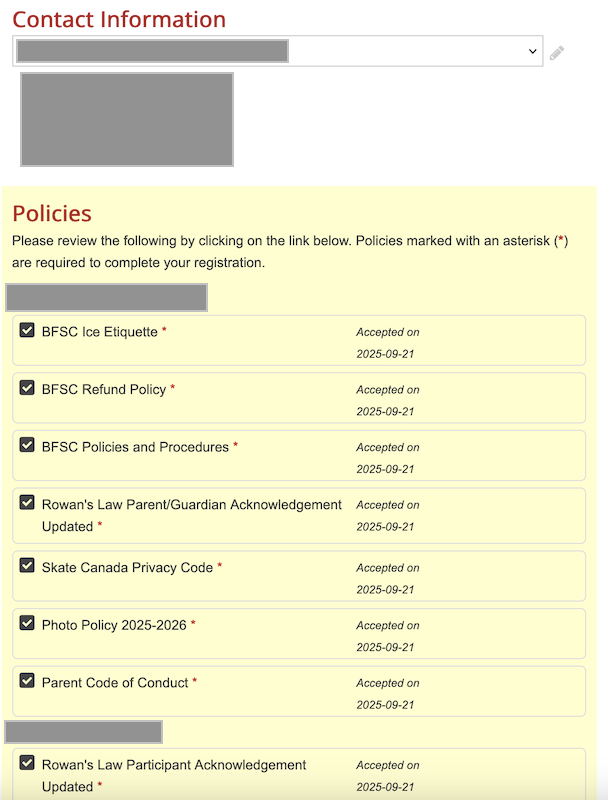
- Review and accept all documents. (Screenshot 5)
- Complete payment.
Screenshot 3
Screenshot 4
Screenshot 5
Helpful Tips
- One account per family keeps everything simple.
- Forgot your password? Use the “Forgot Password” link on the Uplifter login page.
- Need help? Email us at registration@bfsc.net.
We look forward to seeing you on the ice!